How to Track LLM Crawls With Log Files, Looker Studio, and Other Low-Cost Methods: Without Fooling Yourself
Executive Summary
TL;DR — four things to know before you read on:Log files are the only reliable source of truth. GA4 and most analytics platforms miss the majority of AI crawler activity. Server logs or CDN logs capture every request, including bots that never execute JavaScript.The cheapest functional stack is Cloudflare or host logs, plus BigQuery or Google Sheets, plus Looker Studio. Each layer is either free or near-free at typical marketing-team volumes.Not all AI traffic means the same thing. Training crawlers, retrieval crawlers, and user-triggered fetchers behave differently, have different implications for your content strategy, and should never be lumped into a single "LLM traffic" row.The goal is a trustworthy baseline, not a bot hit counter. Raw crawler numbers mean almost nothing on their own. What you want is a clean, consistent dataset you can compare against referral traffic, citation mentions, and actual business outcomes over time.
This guide walks through what you can measure accurately, compares low-cost tool options, and shows a practical workflow from logs to dashboard — including where the data breaks down and how to avoid building a report that looks authoritative but tells you nothing useful.
Why Tracking LLM Crawls Is Suddenly Worth Doing
AI crawlers are no longer a footnote in your server logs. According to Cloudflare's 2025 Year in Review, AI bots averaged 4.2% of all HTML page requests across Cloudflare's network in 2025 — while user-action crawling, the category most closely tied to live AI queries, grew more than 15x during the same period. By Q1 2026, AI crawlers had become the second-largest bot category after search engines, representing 22% of all bot traffic on Cloudflare's global network.
Key context: Googlebot still accounted for 4.5% of HTML requests in 2025 — slightly more than all other AI bots combined. That matters. If you see a spike in bot traffic and assume it is ChatGPT citing your content, it is more likely to be Googlebot, a training crawler, or an undeclared scraper. Context prevents expensive misreads.
The category that deserves the most attention is user-triggered fetching: bots like ChatGPT-User and Perplexity-User that fire when a real person asks an AI a question and the model retrieves your page in real time. According to Cloudflare's crawler purpose analysis, ChatGPT-User alone represented nearly three-quarters of user-action crawl traffic in the studied period, and its volume showed clear daily cycles tied to human usage patterns.
That is the signal worth tracking. The rest — training crawls, undeclared scrapers — tells you about data collection activity, not about whether AI engines are actively surfacing your brand to buyers.
What You Can Measure Accurately — and What You Cannot
Before you build anything, understand what the data can and cannot prove. Most measurement failures in this space come from treating a log file as a citation report. It is not.
You CAN measure from logs | You CANNOT reliably infer from logs alone |
|---|---|
Which declared user agents hit your site | Whether the AI actually cited or recommended you |
Which URLs were crawled, and how often | Whether a human buyer saw the AI's answer |
Response codes (200, 404, 5XX) per bot | Whether a crawler visit led to a referral session |
Crawl frequency and timing patterns | The commercial intent behind any given crawl |
Bytes transferred per request | Whether a training crawl will improve future AI answers |
Bot categories (training, retrieval, user-action) | Whether an undeclared bot is from a specific platform |
User-agent strings can be spoofed. Any server can send a request claiming to be GPTBot. The confidence level of your data improves significantly when you cross-reference user agents against published IP ranges. OpenAI publishes separate IP JSON files for GPTBot, OAI-SearchBot, and ChatGPT-User. Cloudflare's verified bot classification does this cross-referencing automatically, which is one reason it is the recommended starting point for teams without a dedicated data engineer.
AI crawl traffic and AI referral traffic are two different datasets. Crawl data lives in your server logs. Referral data, when it appears at all, shows up in GA4 or your analytics platform as a session from a source like perplexity.ai or chat.openai.com. The two are related but do not map to each other cleanly. Track them separately, report them separately, and resist the urge to merge them into a single "AI visibility" metric.
The most honest use of log-based AI crawler data is as a baseline: a consistent, repeatable measure of which bots are active on your site, which pages they prioritize, and how that pattern shifts over time.
The Cheapest Ways to Track LLM Traffic, Ranked by Cost and Effort
There is no single right answer. The best stack depends on whether you already use Cloudflare, how much log volume your site generates, and how comfortable your team is with SQL. Here is an honest comparison.
Tool / Method | Setup Effort | Monthly Cost | Strengths | Weaknesses |
|---|---|---|---|---|
Cloudflare AI Crawl Control | Low (1–2 hours) | Free on most plans | Built-in bot classification, verified IPs, one-click controls, no parsing required | Only available if you use Cloudflare as your CDN/DNS |
Host / server logs (Apache, Nginx) | Medium (parsing required) | Free | Complete request-level data, no third-party dependency | Raw files are unwieldy; need grep, awk, or a log parser to extract signal |
BigQuery + Looker Studio | Medium (3–6 hours setup) | Free tier covers most small sites; ~$5/month at scale | Scalable, SQL-queryable, connects natively to Looker Studio for dashboards | Requires some SQL comfort and a log ingestion step |
Google Sheets + Looker Studio | Low–Medium | Free | Good for prototyping; no SQL needed | Breaks above ~50,000 rows; manual refresh unless scripted |
Cloudflare Logpush to BigQuery | Medium–High | Free for logs; BigQuery storage costs apply | Automated, structured, verified bot data delivered directly to your warehouse | Requires Cloudflare Business plan or above for Logpush |
The recommended default for non-engineers
If your site already runs behind Cloudflare, start with AI Crawl Control (found under Security > Bots in your dashboard). It gives you bot traffic breakdowns by category, request frequency, and crawl purpose without any log parsing. For reporting, connect a Google Sheets export or a Cloudflare Analytics API pull to Looker Studio and you have a functional dashboard in an afternoon.
If you are not on Cloudflare, the practical path is: pull your host logs, run a grep filter for known AI user agents, push the cleaned output to BigQuery using a scheduled upload, and connect BigQuery to Looker Studio as a data source. Google's own documentation covers the BigQuery-to-Looker Studio connection step by step.
Looker Studio is a reporting layer, not a processing layer. Do not push raw log files directly into it and expect clean results. Pre-aggregate the data in BigQuery or Sheets first. Dashboards built on pre-calculated tables load faster and are far easier to maintain.
A Practical Low-Cost Workflow: Logs to BigQuery to Looker Studio
Here is the recommended implementation path for a team without a dedicated data engineer. Each step is achievable in a few hours spread across a week.
Cloudflare Radar's AI Insights page shows real-time crawler traffic by bot and purpose — a useful benchmark for what you should expect to see in your own logs.
Step 1: Collect your raw log data
Pull access logs from your web server (Apache, Nginx) or CDN. If you use Cloudflare, enable Cloudflare Analytics or use the Logpush feature to stream structured logs to a storage bucket or directly to BigQuery. If you use a managed host, check whether your control panel exposes raw access logs for download.
Step 2: Filter for known AI user agents
Run a grep or regex filter against the raw logs to isolate AI-related traffic. A practical starting pattern:
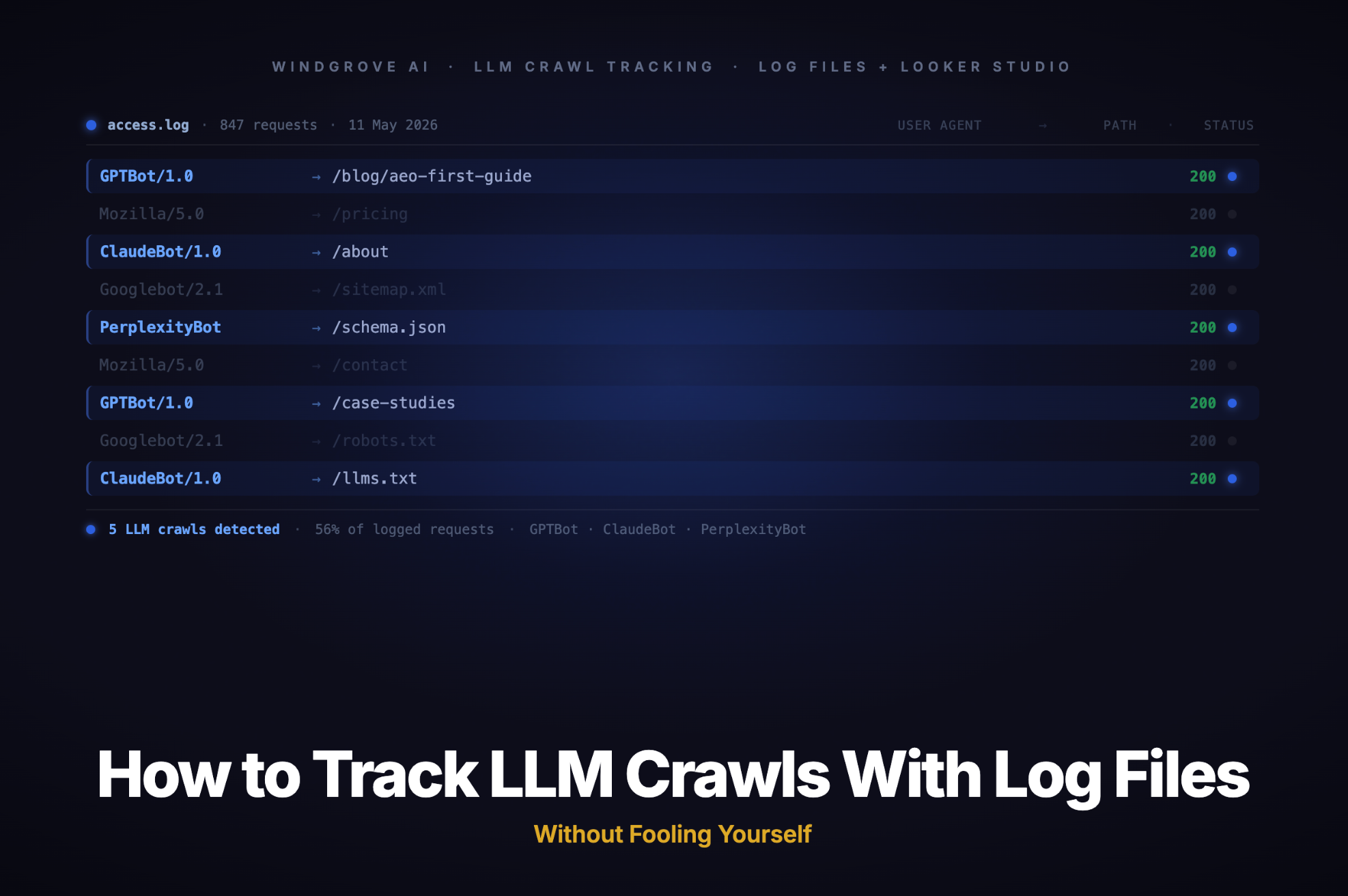
grep -Ei "GPTBot|OAI-SearchBot|ChatGPT-User|ClaudeBot|Claude-SearchBot|PerplexityBot|Perplexity-User|Google-Extended|Amazonbot|meta-externalagent|GrokBot" access.log
This covers the major declared bots from OpenAI, Anthropic, Perplexity, Google, Meta, and xAI. Update the list quarterly — new user agents appear regularly and older ones are occasionally deprecated.
Step 3: Normalize the fields and load into BigQuery
Structure each log row with at minimum: timestamp, user_agent, url_path, http_status, bytes_sent, and a derived bot_family label (e.g. "OpenAI", "Anthropic", "Perplexity"). Load the cleaned file into a BigQuery table via the console upload or a scheduled Cloud Function.
Step 4: Query by day, bot family, and crawl purpose
Once the data is in BigQuery, a basic aggregation query looks like this:
SELECT
  DATE(timestamp) AS date,
  bot_family,
  COUNT(*) AS total_requests,
  COUNT(DISTINCT url_path) AS unique_urls_crawled,
  COUNTIF(http_status BETWEEN 200 AND 299) AS successful_requests
FROM `your_project.your_dataset.ai_crawl_logs`
GROUP BY date, bot_family
ORDER BY date DESC, total_requests DESC
Run this as a scheduled query and write the results to a summary table. That summary table becomes your Looker Studio data source.
Step 5: Connect to Looker Studio and build the dashboard
In Looker Studio, create a new report and add BigQuery as the data source. Point it at your summary table. From there, build scorecards for total requests and unique URLs crawled, a time-series chart by bot family, and a table of top crawled pages. The whole dashboard takes under an hour once the data is flowing.
What to Include in the Dashboard
A good AI crawler dashboard is not a data dump. It is a decision-support tool. Keep it focused on the metrics that actually change your behaviour.
Core metrics to track:
- Total AI bot requests per day — the baseline volume metric, split by bot family
- Unique URLs crawled per period — shows which content is being prioritized by each bot category
- Crawl purpose breakdown — separate training, retrieval, and user-action rows so trend lines carry meaning
- HTTP status codes by bot — a spike in 404s or 5XXs from a specific crawler often signals a technical issue worth fixing
- Top crawled pages — which content is drawing the most AI crawler attention, and whether that matches your strategic priorities
Secondary metrics worth adding once the basics are stable:
- Crawl frequency over time — are bots returning more or less often? A drop in retrieval-bot frequency can be an early signal that your content is being deprioritized
- New URLs crawled vs. previously seen URLs — useful for understanding whether bots are discovering fresh content or re-crawling the same pages
- AI referral sessions (from GA4) — add this as a separate data source and display it alongside the crawler view, but never blend the two into a single metric
The pairing that matters most: put your AI crawler trend line next to your AI referral traffic trend line. If crawl activity is rising but referral traffic is flat, the bots are collecting your content for training, not sending buyers your way. That is useful context for how you prioritize content investment.
Common Mistakes That Make AI Traffic Reports Useless
Warning: The following mistakes are common enough that they deserve their own section. Each one produces a report that looks credible but actively misleads the people reading it.
- Treating every AI-tagged request as a potential customer session. The vast majority of AI crawler activity is training or indexing. A spike in GPTBot hits does not mean ChatGPT is recommending you to buyers. It means OpenAI's training infrastructure visited your site.
- Relying on GA4 alone. Most AI crawlers do not execute JavaScript, so they leave no trace in GA4. The referral sessions you see from
chat.openai.comorperplexity.aiare human visitors arriving from those platforms, not crawler activity. These are two different things. - Merging all AI user agents into one bucket. GPTBot trains models. OAI-SearchBot powers ChatGPT's search results. ChatGPT-User fires during live queries. Lumping them together is like adding organic search, paid search, and direct traffic into a single "Google" row and drawing conclusions from the total.
- Doing data cleaning inside Looker Studio. As log volume grows, calculated fields and filters inside Looker Studio slow dashboards significantly and make maintenance harder. Clean the data upstream in BigQuery or Sheets, and let Looker Studio do what it does well: display pre-aggregated results.
- Never updating the user-agent list. New bots launch regularly. Grok-DeepSearch, MistralAI-User, and several agentic AI systems appeared or expanded significantly in 2025 alone. A grep pattern that was complete six months ago is probably missing bots today.
FAQ
Can GA4 track LLM crawls?
No, not reliably. GA4 depends on JavaScript to fire tracking events. Most AI crawlers do not render JavaScript, so they leave no trace in GA4. What you see in GA4 under sources like perplexity.ai or chat.openai.com are human referral sessions, not bot activity. Server or CDN logs are the only layer that captures all requests regardless of JavaScript execution.
Which bots should I prioritize tracking first?
Start with the user-action category: ChatGPT-User (OpenAI), Perplexity-User (Perplexity), and Claude-User (Anthropic). These fire during live user queries and have the closest relationship to whether an AI engine is actively retrieving and surfacing your content. Training crawlers like GPTBot and ClaudeBot are worth monitoring for volume trends, but a spike in training crawl hits carries far less immediate business signal.
Do I need Cloudflare to do this?
No. Cloudflare makes the setup faster and adds verified bot classification, but it is not required. Any web server that writes standard access logs gives you enough raw data to build a functional tracking workflow. The trade-off is that without CDN-level bot verification, you rely more heavily on user-agent matching, which is easier to spoof.
Will blocking GPTBot hurt my visibility in ChatGPT search results?
Yes, if you block the wrong bot. OpenAI's documentation makes clear that GPTBot (training) and OAI-SearchBot (search retrieval) are independently controllable. Blocking GPTBot in robots.txt prevents your content from being used in model training, but it does not affect whether you appear in ChatGPT search results. OAI-SearchBot controls that. You can disallow one without disallowing the other.
How often should the dashboard update?
Daily is sufficient for most teams. AI crawler patterns do not change hour to hour in ways that require real-time monitoring. A daily scheduled query in BigQuery that refreshes your Looker Studio summary table overnight gives you a clean, stable view without unnecessary infrastructure overhead. Review the dashboard weekly and do a deeper audit of your user-agent list and crawl patterns quarterly.