How to Check If ChatGPT Can Read Your Website (And What to Do If It Can't)
Executive SummaryChatGPT and other AI engines cannot reliably cite your website if your technical infrastructure blocks crawlers, lacks structured data, or buries answers too deep in your content.You can run a basic AI readability check in under 30 minutes using five free tools: your robots.txt file, Google Search Console, an llms.txt check, a schema validator, and a direct ChatGPT prompt test.The most common reasons websites fail AI readability checks are a misconfigured robots.txt, missing FAQ schema, no sitemap submitted to Search Console, and content that never directly answers the query it targets.Windgrove offers a free AI visibility audit at windgrove.ai/audit that diagnoses exactly where your site is failing and what it would take to fix it.
Most business owners who discover their company isn't showing up in ChatGPT assume the problem is content. They think they need more blog posts, better copy, or a PR push.
Sometimes that is true. But often, the issue is more basic.
AI crawlers cannot find your site. Or they can find it but cannot read it properly. Or they can read it but have no way to know who you are, what you do, or why you should be cited as an authority.
The uncomfortable truth: a website that ranks on Google can still be completely invisible to ChatGPT. The two engines pull from different signals, weight different structures, and require different foundations. Your Google rankings tell you nothing about your AI visibility.
This guide walks you through exactly how to check whether ChatGPT can read your website, what the most common failure points look like, and what to do when you find them.
Why "Readable by Google" Does Not Mean "Readable by ChatGPT"
Google's crawler, Googlebot, is built to index pages for a ranked list of blue links. It follows links, reads HTML, and scores pages based on signals like backlinks, keyword density, and page authority. The output is a ranked list. The reader decides which link to click.
ChatGPT works differently. It synthesizes an answer. It draws from its training data, its live browsing capability (in the GPT-4o and GPT-4 Turbo models), and increasingly from real-time retrieval via tools like Bing. When a buyer asks "what's the best spend management tool for agencies," ChatGPT does not return ten links. It returns a recommendation, often with specific product names, reasons, and comparisons.
The core principle: ChatGPT is not ranking your page. It is deciding whether to name your brand in an answer. That is a fundamentally different question, and it requires a fundamentally different kind of readability.
For your website to be cited by ChatGPT, three things need to be true:
- AI crawlers can access your pages. Your robots.txt and llms.txt files must not block the crawlers that AI platforms use to retrieve content.
- Your content is structured for extraction. LLMs look for direct, clearly framed answers near the top of a page. Content buried in dense paragraphs does not get pulled.
- Your site exists beyond your own domain. AI engines require third-party validation. A brand that only lives on its own website will not be confidently cited.
Most websites fail on at least one of these. Many fail on all three.
Step 1: Check Your robots.txt File
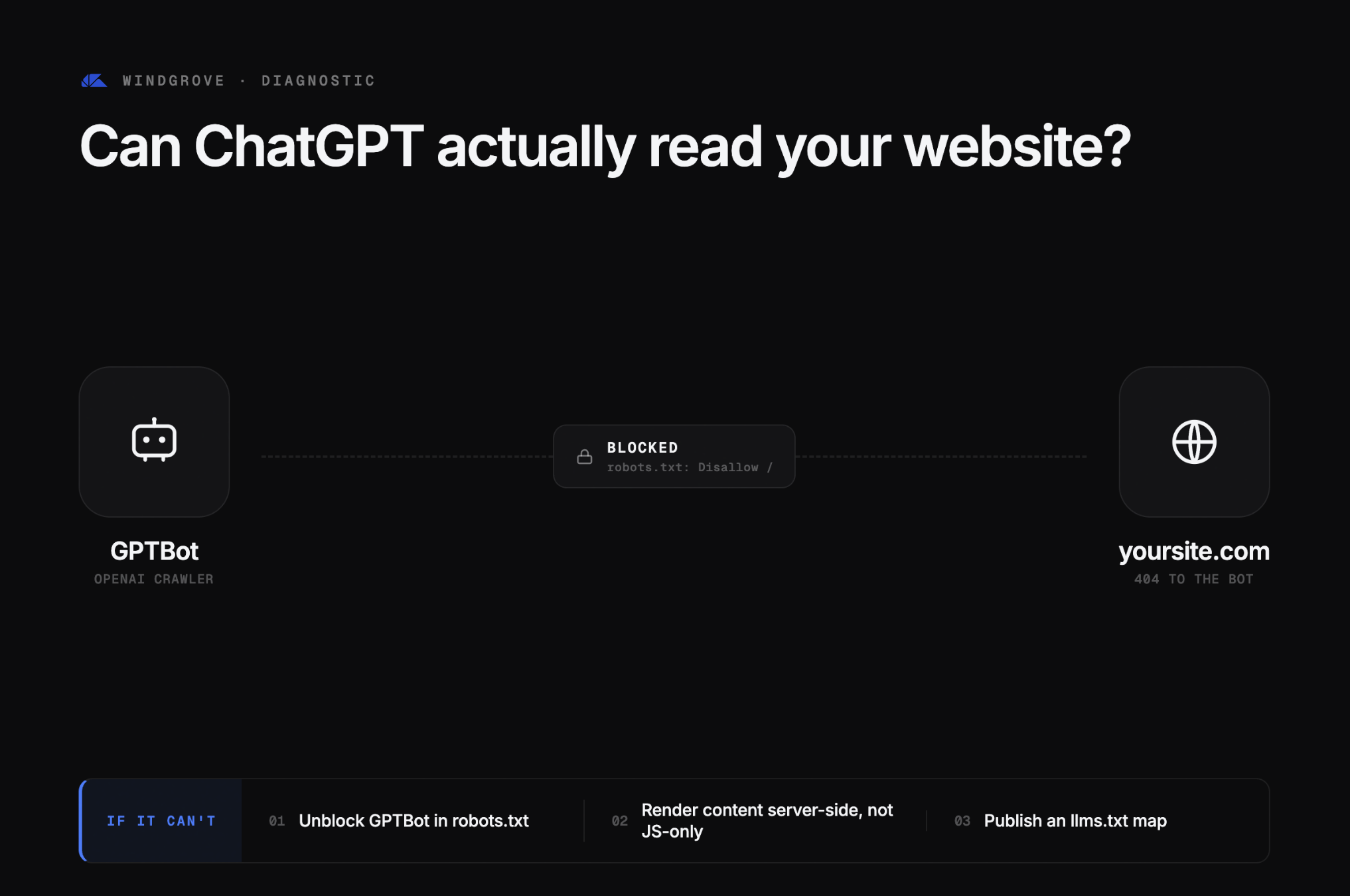
Your robots.txt file tells crawlers which parts of your site they are allowed to access. It was designed for Googlebot. The problem is that AI platforms use their own crawlers, and a misconfigured robots.txt can block them without you realising it.
How to check it:
- Go to
yourdomain.com/robots.txtin your browser. - Look for any
Disallow:rules that apply to/(the entire site) or to specific high-value pages like your blog, product pages, or homepage. - Check whether any
User-agent:rules specifically block crawlers likeGPTBot(OpenAI's crawler),PerplexityBot, orGoogle-Extended.
What a problem looks like:
User-agent: GPTBot
Disallow: /
That single block makes your entire website invisible to ChatGPT's live browsing feature. Many sites have this in place without the owner knowing, often because a developer added it during a site build and never removed it.
What a clean file looks like:
User-agent: *
Allow: /

User-agent: GPTBot
Allow: /

User-agent: PerplexityBot
Allow: /
If you find blocking rules for AI crawlers, remove them. This is typically a one-line edit in your CMS or hosting configuration and requires no developer for most platforms.
Step 2: Check Whether Your Pages Are Actually Indexed
A crawler that can access your site still needs to find your pages. If your sitemap is missing or broken, AI engines may only ever see a fraction of your content.
How to check it:
- Open Google Search Console and navigate to the Indexing section.
- Check the Pages report. Look at how many pages are indexed versus how many are not.
- Go to Sitemaps and verify that a sitemap has been submitted and is returning a success status.
Common problems to look for:
Issue | What It Means |
|---|---|
No sitemap submitted | AI crawlers have no structured map of your content |
Sitemap submitted but showing errors | Pages are being excluded from the index |
Large gap between total pages and indexed pages | Significant content is invisible to all crawlers |
Key product or service pages marked "Crawled, not indexed" | These pages will not be cited by AI engines |
The Opal example: When Windgrove began working with Opal, a spend management platform for digital marketing agencies, the site had only 4 indexed pages, no blog, and no sitemap submitted to Google Search Console. The result was 0% AI visibility across ChatGPT, Perplexity, and Google AI Overviews. Competitors were capturing every relevant query. Opal was not in the conversation at all.
Submitting a clean XML sitemap was one of the first fixes. It is also one of the most impactful.
Step 3: Check for llms.txt
llms.txt is a relatively new file, but it is becoming an important signal for AI readability. Think of it as robots.txt, but written specifically for large language models. It tells LLM crawlers which pages on your site are authoritative, which content is safe to cite, and how to navigate your site's structure.
How to check it:
Go to yourdomain.com/llms.txt in your browser.
- If you get a 404 error, the file does not exist. This is not a catastrophic failure, but it is a missed opportunity. AI crawlers that support llms.txt will have less guidance about which of your pages to prioritise.
- If the file exists, check that it includes your most important pages: homepage, product or service pages, key blog content, and any pages you want AI engines to cite.
Why it matters:
AI crawlers that support llms.txt use it to prioritise what to read and what to skip. A well-configured llms.txt file means your highest-value pages get more crawl attention. A missing or poorly structured file means crawlers make those decisions on their own, and they may not choose the pages you want cited.
Setting up llms.txt does not require a developer. It is a plain text file you can create and upload directly to your site's root directory.
Step 4: Validate Your Structured Data (Schema Markup)
Structured data is one of the highest-leverage signals for AI citation. Schema.org markup tells AI engines exactly what a piece of content is: who wrote it, what organisation it belongs to, what question it answers, and how to parse the information on the page.
Without it, AI engines are guessing. With it, they have a clear, machine-readable map of your content.
How to check it:
Use Google's Rich Results Test or the Schema Markup Validator to check your pages.
- Paste in your homepage URL.
- Check which schema types are detected.
- Repeat for your most important product or service pages.
What to look for:
- Organisation schema — Does the tool recognise your brand name, logo, and description as a defined entity?
- FAQ schema — Are any FAQ sections on your site marked up so LLMs can extract individual Q&A pairs as standalone citations?
- Article schema — Do your blog posts include author attribution, publication date, and a clear subject?
What missing schema actually costs you:
Without FAQ schema, an LLM reading your page has to guess which part of your content answers a given query. With FAQ schema, each question and answer is explicitly labelled. The LLM does not have to guess. It extracts the answer directly and cites your page.
That difference is the gap between appearing in an AI-generated answer and being skipped entirely.
Key insight: FAQ schema is the single most impactful schema type for AI citation. If your site has none, that is the first thing to fix.
Step 5: Ask ChatGPT Directly
The most direct test is also the most revealing. Open ChatGPT (using GPT-4o with browsing enabled) and ask it the questions your buyers are actually asking.
Prompts to try:
- "What is [your brand name]?"
- "What does [your brand name] do?"
- "What are the best [your product category] for [your target customer]?"
- "Who are the top [your service type] in [your city or industry]?"
What you are looking for:
- Does your brand appear in the answer at all?
- If it does appear, is the information accurate and current?
- If it does not appear, which competitors are being recommended instead?
Interpreting the Results
Your brand appears with accurate information. ChatGPT can access and synthesise your content. The next question is whether you are appearing at the right funnel stages, for the right queries, and with the right positioning.
Your brand appears but the information is outdated or wrong. ChatGPT is pulling from training data rather than live pages. This usually means your structured data is weak, your content is not clearly labelled, or your pages are not being crawled frequently enough.
Your brand does not appear at all. This is the most common result for B2B companies that have not done any AI optimisation. It means one or more of the issues in steps 1 through 4 are blocking your visibility, or your content is not structured in a way that LLMs can extract and cite.
Your brand appears only when you search your name directly. Branded visibility is the floor, not the goal. The real opportunity is appearing when buyers search your category without knowing your name. If you only show up for your own brand name, you are invisible to the buyers who matter most.
What Fixing These Issues Actually Looks Like
Running the five checks above will tell you where your site stands. What happens next depends on what you find.
For most B2B websites, the audit surfaces a combination of technical blockers and content structure problems. The technical issues are fixable quickly. The content structure work takes longer but compounds over time.
The Opal Result: 0% to 15.9% AI Visibility in 31 Days
Opal is a charge card and spend management platform for digital marketing agencies. When Windgrove audited the site in late March 2026, the picture was stark: 4 indexed pages, no blog, no sitemap, no structured data, and 0% AI visibility across every tracked prompt.
Competitors were capturing every relevant query in ChatGPT, Perplexity, and Google AI Overviews. Opal was not in the conversation.
The fix was sequenced deliberately. Technical infrastructure first: sitemap submission, robots.txt overhaul, llms.txt build, meta rewrites, heading hierarchy restructure, and indexing issue resolution. Content second: 8 AEO-optimised articles, all core pages rewritten, and bottom-of-funnel pages targeting buyers ready to convert.
The outcome after 31 days:
Metric | Before | After |
|---|---|---|
AI Visibility Score | 0% | 15.9% |
AI Brand Mentions | 0 | 1,766 |
Site Health Score | 66.2 | 80.7 |
AEO Articles Live | 0 | 8 |
Avg LLM Position | — | #1 |
Within seven days of launching the first content, Opal ranked #2 for "ad pay" and #2 for "ad spend cards." Both are bottom-of-funnel terms. Buyers searching those terms are already in the market, evaluating options, and ready to move.
Most sites take three to six months to see meaningful movement on terms like those. Opal was there in a week.
You can read the full Opal case study here.
The Checklist: Your 5-Point AI Readability Audit
Use this as a quick reference before running your own checks. Each item maps to one of the five steps above.
Check | Where to Look | Pass Condition |
|---|---|---|
robots.txt | yourdomain.com/robots.txt | No |
Sitemap and indexing | Google Search Console > Indexing | Sitemap submitted, key pages indexed, no major crawl errors |
llms.txt | yourdomain.com/llms.txt | File exists and lists key pages |
Structured data | Google Rich Results Test | Organisation schema detected; FAQ schema on relevant pages |
ChatGPT visibility | ChatGPT with browsing (GPT-4o) | Brand appears in category-level queries, not just branded searches |
If you pass all five: your technical foundation is solid. The next priority is content structure and third-party citation footprint.
If you fail two or more: your site has structural blockers that are actively suppressing AI visibility. These need to be fixed before content or citation work will have any meaningful impact.
If you are unsure what you found: that is what the audit is for.
Get a Free AI Visibility Audit
The five checks above will tell you whether your site has obvious blockers. What they will not tell you is the full picture: which prompts your buyers are using, which competitors are winning those prompts, and what specific changes would move you from invisible to cited.
That is what Windgrove's free AI visibility audit covers.
The audit looks at:
- Your full technical infrastructure (robots.txt, sitemap, llms.txt, schema, canonical issues)
- Your current AI visibility score across ChatGPT, Perplexity, and Google AI Overviews
- The specific prompts your target buyers are using and where your competitors are appearing
- The highest-leverage fixes based on your current site, your category, and your competitive landscape
There is no obligation and no generic deck. You will get a clear picture of where your site stands and what it would take to improve it.
Run your free audit at windgrove.ai/audit
If you would prefer to talk through what you find, you can also book a free strategy call with the Windgrove team. Most calls run 30 minutes. You will leave with a prioritised list of actions, not a sales pitch.
Your product deserves to be found. The question is whether the engine buyers are using can actually read your site.
Frequently Asked Questions
Does ChatGPT crawl websites in real time?
ChatGPT's base model (without browsing) relies on training data with a knowledge cutoff date. GPT-4o and GPT-4 Turbo with browsing enabled can retrieve live web content via Bing. For your site to be cited by ChatGPT in browsing mode, your pages must be accessible to Bing's crawler (Bingbot) and not blocked by your robots.txt. For training data inclusion, your content needs to have been publicly accessible, well-structured, and authoritative enough to be included in OpenAI's training datasets.
If my site ranks on Google, why wouldn't ChatGPT know about it?
Google rankings are based on backlinks, keyword relevance, and page authority signals. ChatGPT citations are based on whether your content is structured for extraction, whether your brand appears in third-party sources LLMs trust, and whether your pages are accessible to the crawlers AI platforms use. A site can rank highly on Google and still be invisible to ChatGPT if the underlying content structure does not meet AI extraction requirements.
What is GPTBot and should I allow it?
GPTBot is OpenAI's web crawler. It is used to retrieve content for ChatGPT's browsing feature and potentially for future training data. Allowing GPTBot in your robots.txt means ChatGPT can access and read your pages in real time. Blocking it means ChatGPT's browsing mode will not retrieve your content when answering queries related to your category. Most businesses should allow GPTBot unless they have a specific reason not to.
What is llms.txt and do I need it?
llms.txt is a plain text file placed at your domain root (yourdomain.com/llms.txt) that provides structured guidance to LLM crawlers about your site's content. It is analogous to robots.txt but designed specifically for AI systems rather than traditional search crawlers. It is not yet universally required, but AI platforms that support it use it to prioritise which pages to read and cite. Setting it up takes under an hour and has no downside.
How long does it take to see results after fixing AI readability issues?
Technical fixes (robots.txt, sitemap, schema) can take effect within days to a few weeks, depending on how quickly crawlers re-index your site. Content changes typically take longer to compound. Based on Windgrove's work with Opal, a site that went from 0% to 15.9% AI visibility in 31 days, the timeline for meaningful results after a full technical and content overhaul is typically 30 to 90 days.
Can I fix these issues myself or do I need an agency?
The five checks in this guide are DIY-friendly. Fixing a robots.txt file, submitting a sitemap, and adding basic schema markup are tasks most non-developers can handle with the right instructions. Where it gets more complex is content restructuring for AI citation, building a third-party citation footprint, and tracking visibility across multiple AI engines over time. That is where a specialised AEO agency adds the most value.
What is an AI visibility score?
An AI visibility score measures the percentage of tracked prompts where your brand is mentioned across major LLMs (ChatGPT, Perplexity, Google AI Overviews, Gemini). A score of 0% means your brand does not appear in any of the queries your target buyers are using. A score of 15% means you appear in 15% of those queries. Windgrove tracks this using Searchable, which provides prompt-level data including mention rate, average position, and sentiment across platforms.