
Most B2B founders who discover their business isn’t showing up in ChatGPT assume it’s a content problem. They think they need more blog posts, better copy, or a PR push.
Sometimes that’s true. But often, the issue is more basic: AI crawlers can’t find your site, can’t read it properly, or don’t know who you are.
Before any AEO strategy will work, your website needs a technical foundation that AI engines can actually use. Four files. None of them require a developer. All of them matter more than most people realize.
The uncomfortable truth: You can publish great content every week and still be invisible to AI engines if these four things aren’t in place. Content without infrastructure is noise.
TL;DR: The AEO tech stack has four parts:
sitemap.xml(so crawlers find your pages),robots.txt(so AI bots are explicitly allowed in), Organization schema JSON-LD (so AI engines know who you are), and[llms.txt](https://windgrove.ai/blog/llmstxt-explained-what-it-is-why-it-matters-and-why-google-now-checks-for-it)(so models get a clean, curated brief about your site). All four can be set up in under 90 minutes. None require a developer.
Here’s what makes up the AEO tech stack, why each piece exists, and what happens if it’s missing.
1. sitemap.xml: Give AI Crawlers a Map of Your Site
Your sitemap is an XML file that lists every page on your website. It tells crawlers what exists, when it was last updated, and how important each page is relative to the others.
Search engines have used sitemaps for years. AI crawlers use them too, including GPTBot (ChatGPT), Bingbot (Bing/Copilot), ClaudeBot (Anthropic), and PerplexityBot. When they land on your domain, one of the first things they look for is /sitemap.xml.
Why it matters for AEO specifically
AI engines don’t just crawl randomly. They prioritize. A sitemap with accurate lastmod timestamps signals which pages are fresh and worth indexing. Without it, crawlers have to guess, and they’ll often miss your most important pages entirely.
What happens if it’s missing: AI crawlers index whatever they happen to find. Your homepage might get picked up. Your service pages, case studies, and comparison content probably won’t.
What to check right now
Does
yourdomain.com/sitemap.xmlload?Is every important page listed (services, about, blog posts)?
Are your
lastmoddates accurate and up to date?Is the sitemap URL referenced in your
robots.txtfile?
Most CMS platforms (WordPress, Webflow, Squarespace) generate a sitemap automatically. The issue is usually that it exists but hasn’t been submitted to Google Search Console. Or the lastmod dates are stale. Both matter for AI crawl prioritization.
2. robots.txt: Tell AI Crawlers They’re Welcome
Your robots.txt file controls which bots can crawl your site and which paths they can access. It lives at yourdomain.com/robots.txt and every well-behaved crawler checks it before indexing anything.
Here’s the problem most B2B websites have: their robots.txt was set up years ago for traditional SEO. It was never updated for AI crawlers. That means GPTBot, ClaudeBot, PerplexityBot, and others may be blocked, throttled, or simply not addressed.
The crawlers you need to explicitly allow
As of 2026, the AI crawlers worth explicitly allowing in your robots.txt are:
Crawler | AI Engine |
|---|---|
| ChatGPT / OpenAI |
| ChatGPT browsing |
| OpenAI search |
| Claude / Anthropic |
| Perplexity |
| Bing / Microsoft Copilot |
| Grok / xAI |
A minimal, AI-ready robots.txt looks like this:
The distinction that matters
Not all AI bots are the same. GPTBot, for example, both trains ChatGPT’s models and powers live citations in responses. Blocking it means ChatGPT can’t cite you in real-time answers. That’s a significant visibility loss.
What happens if it’s missing or wrong: If your robots.txt blocks or doesn’t explicitly allow AI crawlers, they may not index your content at all. You can publish the best content in your category and still be invisible. This is one of the most common reasons B2B companies aren’t showing up in ChatGPT.
3. Organization Schema (JSON-LD): Prove You’re a Real Business
When an AI engine generates a recommendation, it doesn’t just pull a quote from your homepage. It synthesizes what it knows about your organization from structured, machine-readable data. That’s where JSON-LD schema markup comes in.
JSON-LD is a block of structured data embedded in your site’s <head>. It tells AI engines (and search engines) exactly who you are: your business name, what you do, where you’re located, how to contact you, and how you’re connected to other entities on the web.
For B2B companies, the Organization type is the starting point. It’s the foundation that makes everything else you publish more credible and citable.
What an Organization schema block looks like
The sameAs field is particularly important. It links your website entity to your LinkedIn, social profiles, and any directories where you’re listed. AI engines use these cross-references to verify that your business is real and consistent across the web.
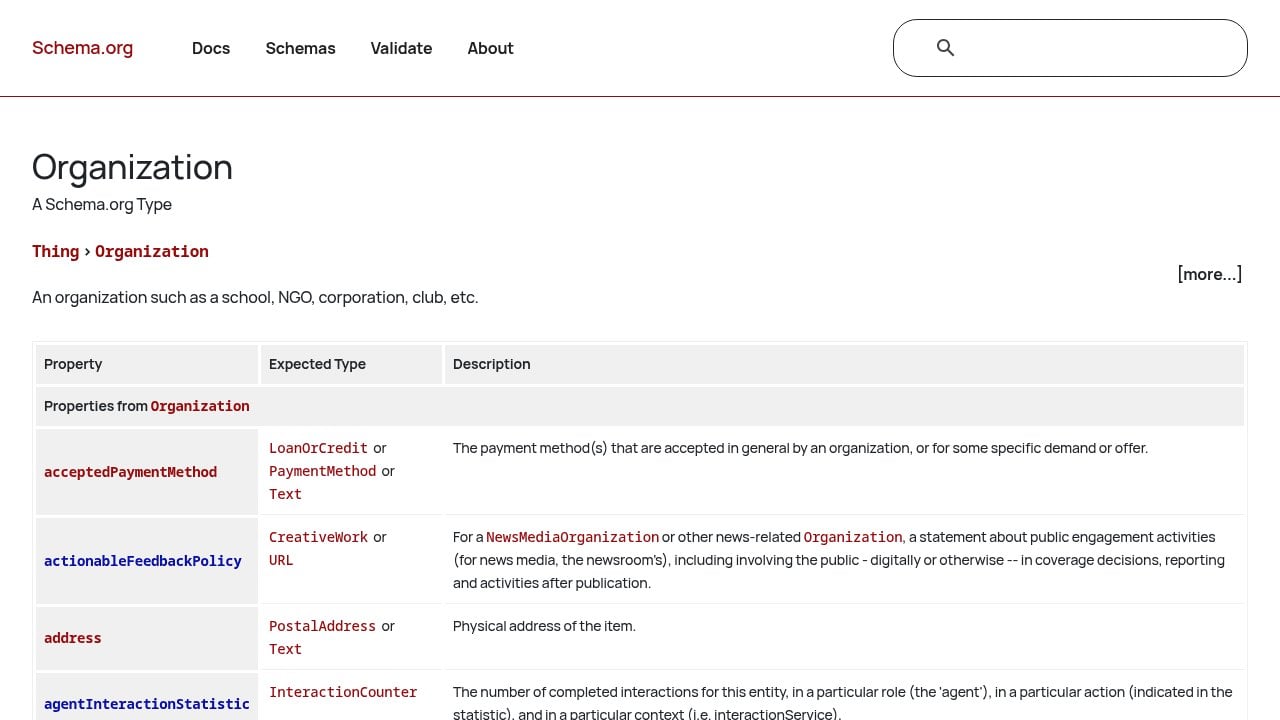
What happens if it’s missing: AI engines have to infer who you are from your page text alone. That means inconsistencies, hallucinations, and a lower probability of being cited confidently. Understanding how AI engines actually build recommendations makes it clear why schema is non-negotiable. If the AI isn’t sure about you, it won’t recommend you.
4. llms.txt: Speak Directly to AI Models
llms.txt is the newest addition to the AEO tech stack, and the one most B2B websites are still missing.
Think of it as robots.txt for large language models. It’s a plain-text file that lives at your domain root. It tells AI models exactly what your site contains, what your best content is, and where to find it. No parsing required. No inference. You’re handing the AI a curated summary in a format it can read directly.
The format is simple Markdown. A basic llms.txt for a B2B company looks like this:
Why this matters right now
llms.txt is still an emerging standard, not a universal requirement. But adoption is growing fast. AI crawlers that support it get a clean, unambiguous signal about who you are and what you offer. That reduces hallucination risk and increases the likelihood of accurate, confident citations.
The cost of adding it is about 15 minutes. The upside is a cleaner signal to every AI engine that supports it.
What happens if it’s missing: AI models piece together your identity from whatever they can scrape. Sometimes they get it right. Often they don’t. A missing llms.txt is a missed opportunity to control the narrative before the AI forms one on its own.
These Four Files Won’t Get You Recommended on Their Own
But without them, nothing else will work.
Content strategy, citation building, authority campaigns: all of it depends on AI crawlers being able to find your site, understand who you are, and trust what they find. The AEO tech stack is the prerequisite.
Here’s the full picture at a glance:
File | What it does | Time to implement |
|---|---|---|
| Maps your site for crawlers | 10-20 min (most CMS auto-generates) |
| Grants AI crawlers access | 10 min |
Organization schema | Identifies your business to AI | 20-30 min |
| Gives AI a curated site brief | 15 min |
Start with a quick audit. Go to yourdomain.com/robots.txt and yourdomain.com/sitemap.xml right now. Check whether GPTBot and Bingbot are explicitly allowed. Check whether your sitemap loads and lists your key pages. Then validate your schema at Google’s Rich Results Test.
If any of these are missing or misconfigured, that’s your answer for why AI engines aren’t recommending you.
Want to know exactly where you stand? We run a free AI Growth Audit that checks every layer of your AEO tech stack, tests your brand across ChatGPT, Perplexity, Claude, Gemini, and Grok, and shows you precisely what’s keeping you out of AI recommendations. Book yours at windgrove.ai.